

RESTAURANT POS & CONTACTLESS ORDERING

The future of dining.
At your table.

Modern POS and contactless ordering
for restaurants that want to do more.

  • Scan
    at Table
  • Order
    & Pay
  • Manage
    Everything
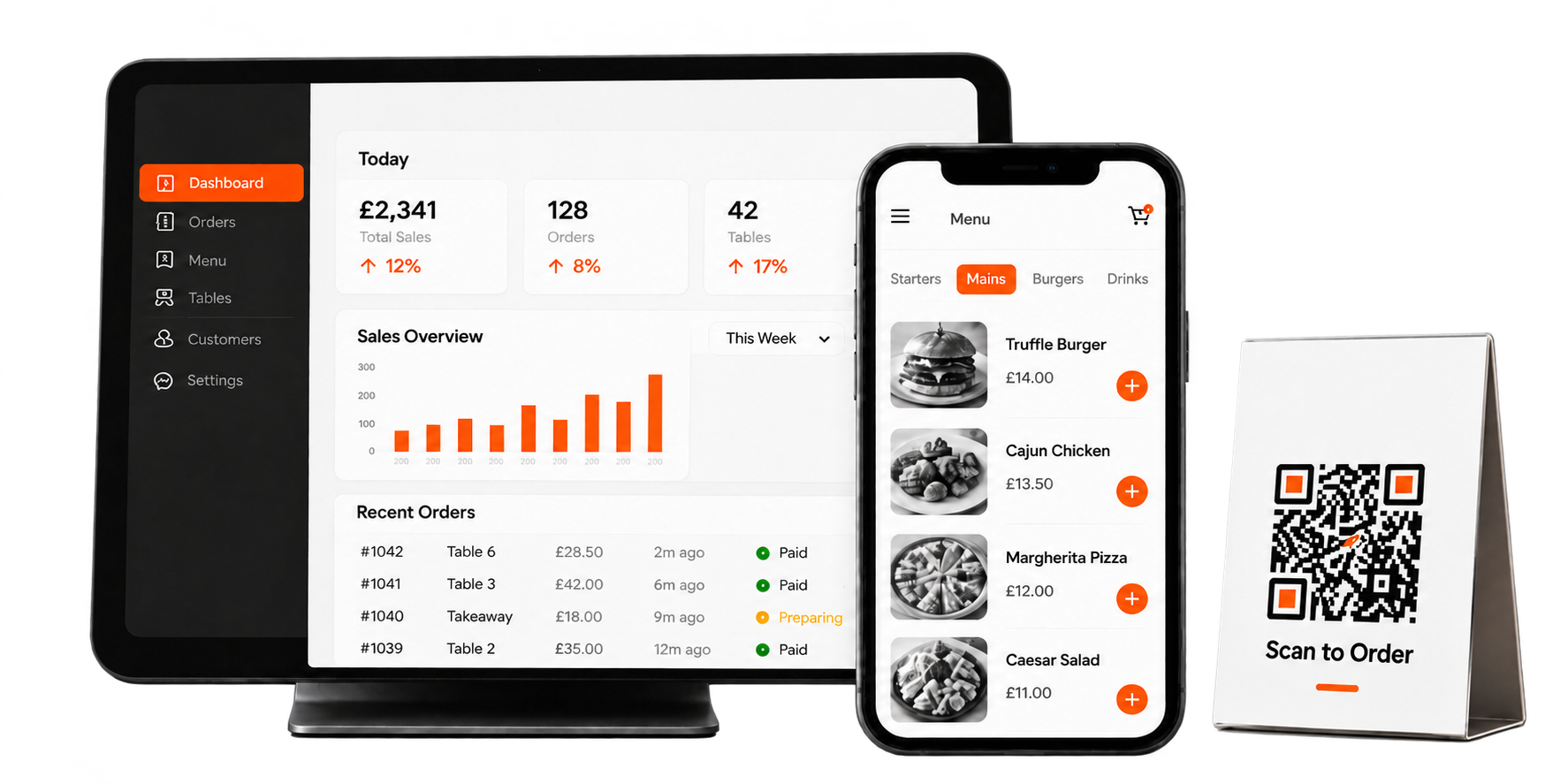
Smashing dashboard, mobile ordering menu, and Scan to Order QR table stand

Less routine.
More room for service.

Reduce staff costs by 60%.

Let QR ordering take care of the routine, so your team can focus on service.

THE BEFORE & AFTER

Same restaurant. A smarter way to run it.

From a scattered service to one connected flow, see what changes when every order has a clear path.

BEFORE SMASHING

The rush feels harder than it should.

  • Orders get lost in the noise

    Paper tickets and shouted updates leave room for mistakes.

  • Staff repeat the same steps

    Taking orders and relaying details takes time from guests.

  • Kitchen and floor lose sync

    Teams have to chase the latest status.

  • Insights arrive too late

    Decisions rely on fragments instead of a connected view.

WITH SMASHING POS

Every part of service moves together.

  • Orders land in one place

    QR, online and counter orders meet in the POS.

  • Your team stays with guests

    Routine order taking becomes a simpler flow.

  • Kitchen sees what's next

    Accepted orders reach the kitchen display.

  • Run on clearer information

    Keep orders, payments and reports connected.

Operational comparison is illustrative; results depend on each restaurant's setup and usage.

HOW IT WORKS

One order. A connected journey.

From a quick scan to the final plate, the right people see what they need at every step.

SCONNECTED ORDER JOURNEY● SAMPLE FLOW
SMASHING / ORDER FLOW01 / 04
NEW TABLE ORDER

Table 08 placed an order

1 × Signature Burger · 2 × Fries · 1 × Iced Tea

Order #1248Table 08 · Guest QR Menu
Received ✓
01 / Customer orderInteractive sample · no live order
QR ORDERING

Don't just imagine it. Try ordering.

Explore a sample of the guest journey, from browsing the menu to sending a sample order.

SCAN • BROWSE • ORDER

Put the menu in every guest's hands.

Guests can explore food, add items and send a table order from their own phone. Try the sample menu here.

Try the sample menu QR code linking to the Smashing POS sample menuScan to open this sample

Interactive preview only. No order or payment is submitted from this sample.

YOUR SAVINGS, MADE VISIBLE

What could smarter ordering free up?

Adjust the numbers to see the estimated value of staff time that could be redirected toward better service.

Make it yours

Enter a few numbers from your restaurant.

Rs.
people
60%
0%100%

This is an illustration of staff time value, not a guaranteed reduction in payroll.

ESTIMATED MONTHLY TIME VALUE
Rs. 63,000

Potential value of time your team could spend on guest service and other work.

Current order-taking staff costRs. 105,000
Estimated time freedRs. 63,000
Estimate = monthly cost × staff count × time freed. Actual outcomes vary.
PLANS FOR YOUR NEXT CHAPTER

The right tools.
Room to grow.

Everything you need to run, grow
and connect your restaurant.

START

Essential tools
to run your restaurant.

  • POS (Point of Sale)
  • Inventory Management
  • Orders & Payments
  • Menu & Table Management
  • Reports & Insights

ELEVATE

Everything in Start,
plus QR table ordering.

  • Everything in Start
  • QR Table Ordering
  • Digital Menu
  • Contactless Payments
  • Real-time Order Sync

BEYOND

Everything in Expand,
plus a custom app and
social media support.

  • Everything in Expand
  • Branded Mobile App
  • Social Media Setup (Tailored)
  • Content Templates
  • Ongoing Guidance
GETTING STARTED

From your first hello to your first order.

A clear path from seeing Smashing POS to using it in your restaurant.

01

Book a demo

See how the connected ordering flow fits your restaurant.

02

Set up your menu

Bring your items, tables and team into one place.

03

Try live ordering

Walk through the guest, staff and kitchen experience.

04

Start serving smarter

Take orders with a more connected service flow.

READY WHEN YOU ARE

Let’s make your next service simpler.

FAQs

Got Questions?

Quick answers to common questions about Smashing POS.

How does QR table ordering work?

Customers scan at their table and place an order. Staff accept it in Smashing POS, and the order goes to the kitchen display.

Can I accept online orders?

The reference lists branded online ordering in the Expand plan. Final availability and details need confirmation.

What is included in the free trial?

The reference advertises a 3-day free trial. Trial inclusions and the signup destination still need to be provided.

How do I get started?

Demo booking and signup are not connected in this draft. Booking details need to be provided before launch.

Your next chapter starts here.

Try QR ordering

Sample menu · no real orders or payments